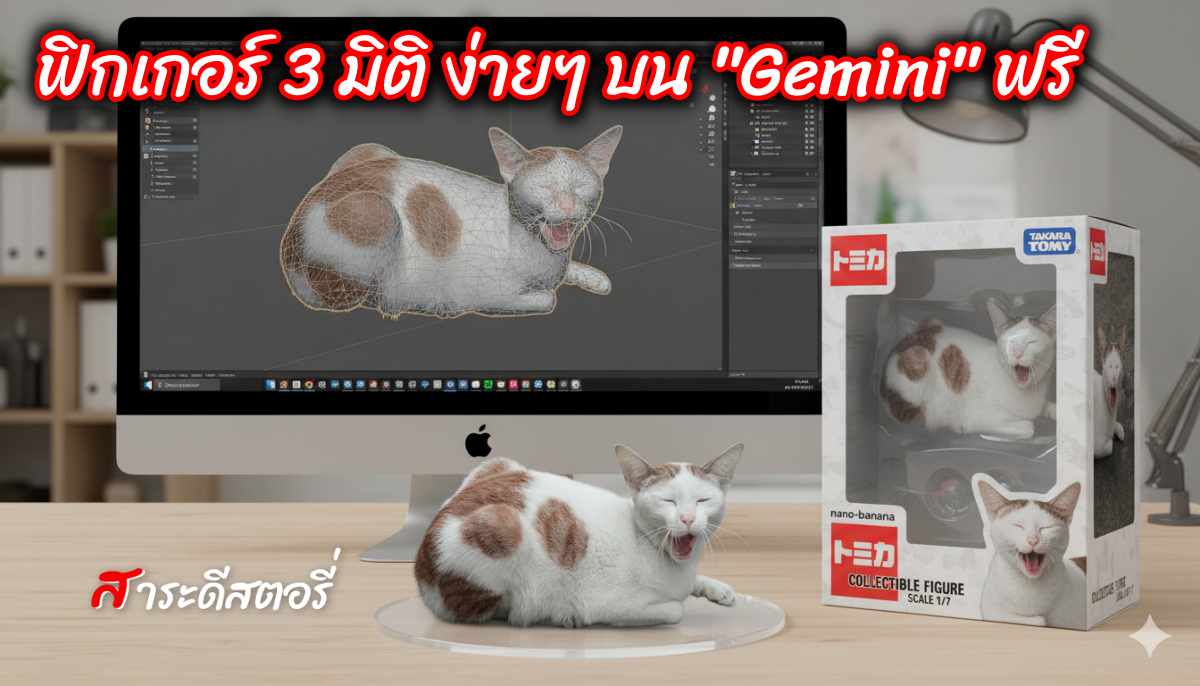
วิธีป้อน Prompt Gemini AI ฟิกเกอร์ 3D
- เข้าแอปฯ หรือ เว็บไซต์ Gemini
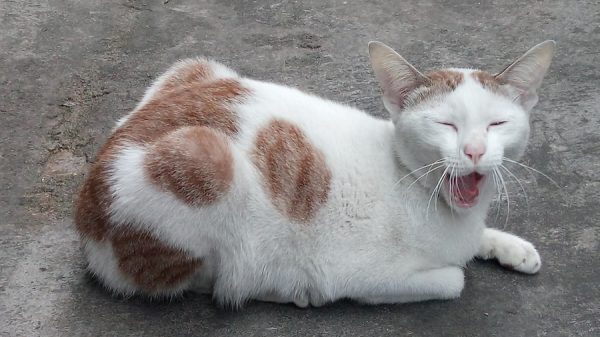
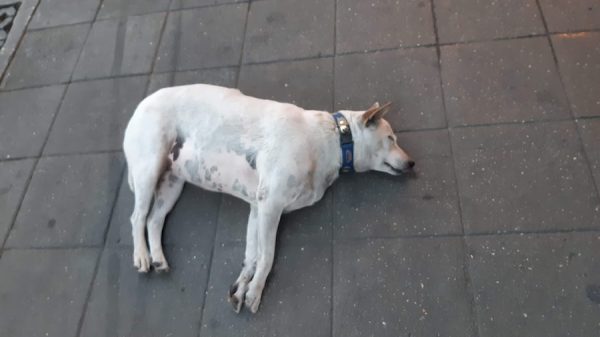
- แนบภาพที่ต้องการจะให้ AI Gen พร้อมกับคำสั่ง Prompt ที่ Copy เลือกไว้ โดยแนบภาพพร้อมคำสั่ง แล้วส่ง Upload พร้อมกันเลย
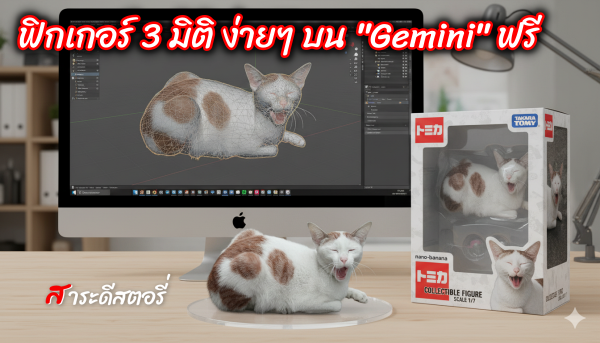
- สำหรับน้องแมว เป็นกล่อง TAKARA-TOMY
- ป้อน Prompt “Use the nano-banana model to create a 1/7 scale commercialized figure of the character in the illustration, in a realistic style and environment. Place the figure on a computer desk, using a circular transparent acrylic base without any text. On the iMac screen, display the Blender modeling process of the figure. Next to the computer screen, place a TAKARA-TOMY-style toy packaging box printed with the original artwork.”
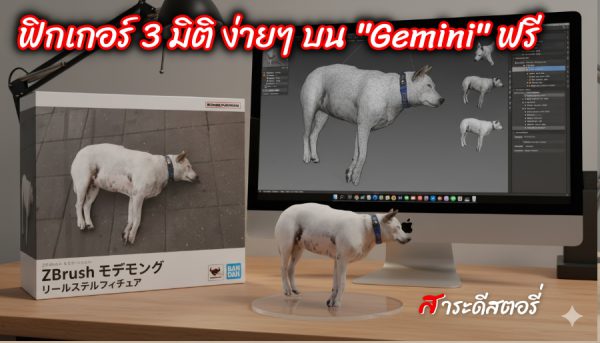
- สำหรับน้องหมา เป็นกล่อง BANDAI-style toy
- ป้อน Prompt “Use the nano-banana model to create a 1/7 scale commercialized figure of the character in the illustration, in a realistic style and environment. Place the figure on a computer desk, using a circular transparent acrylic base without any text. On the computer screen, display the ZBrush modeling process of the figure. Next to the computer screen, place a BANDAI-style toy packaging box printed with the original artwork.”
- กด Enter และรอ AI Gen เป็นอันเสร็จ
ภาพตัวอย่าง เช่น แมว หรือคนเต็มตัว ในท่าทางต่างๆ ควรเป็นภาพที่ชัดพอสมควร ใครเลือกกล่องแบบไหนก็สามารถนำคำสั่งไปใช้ใน https://gemini.google.com/app
แต่ต้อง log in gmail ที่เราใช้งานอยู่ด้วยนะ